
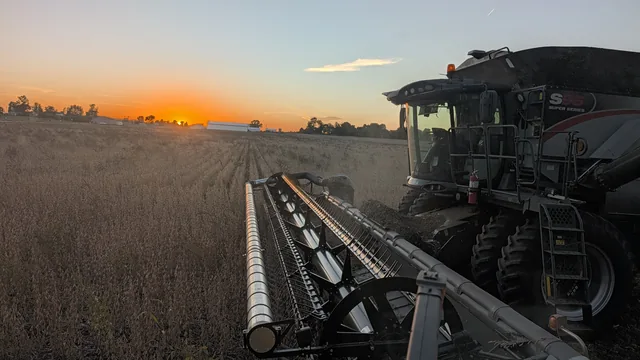
Clearer harvest records.
From field to storage.
Stop piecing together notebooks, loose tickets, and phone notes. Record each weight with its field and destination, then see your harvest totals and bin inventory in one place.
Find the load. Check the field total. See what is still in storage.
Watch the harvest workflow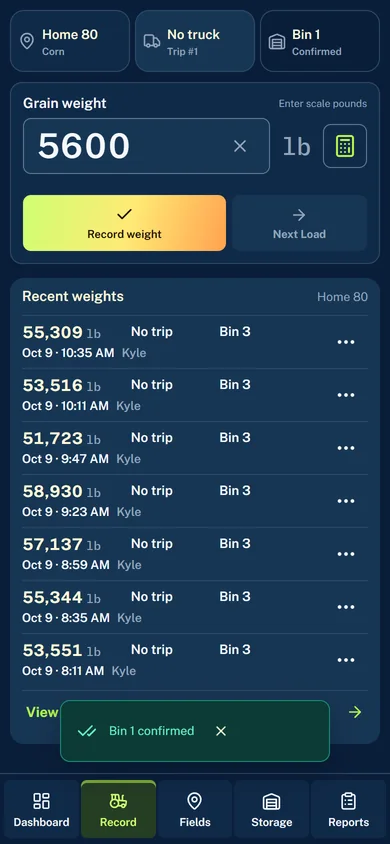
Watch a weight become a harvest record.
Follow one example from the scale to the dashboard, storage inventory, and reports.
Recorded in the demo farm. No audio; English action captions are included.
Read the walkthrough
- Choose the field and confirm where the grain is going.
- Enter the scale weight in pounds. The example uses 5,600 lb.
- Save the weight and wait for confirmation.
- Review field progress and harvest totals on Dashboard.
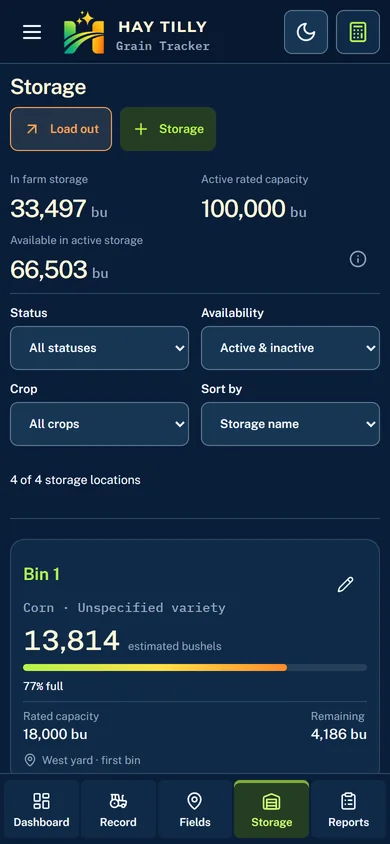
- See grain bin inventory and storage capacity on Storage.
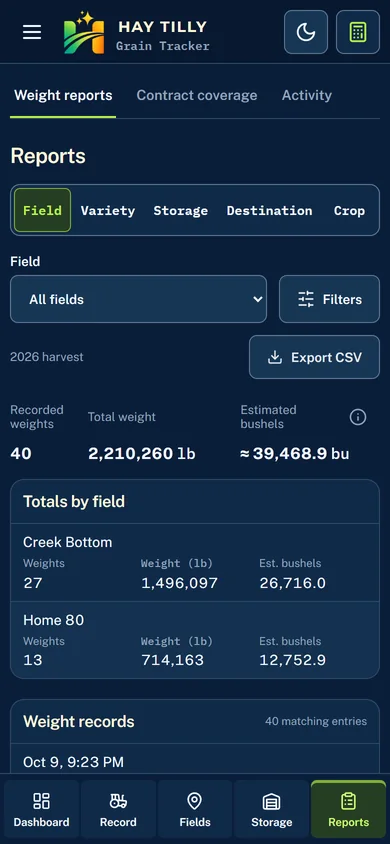
- Review and export your harvest records from Reports.
Give every weight a clear record.
A handwritten weight can lose its context by the time you total it up. Grain Tracker keeps the pounds, field, and destination together, so you can find the right entry when you need it.
- See where each saved load came from and where it went.
- Keep truck trip details with the weights when you use truck tracking.
- Correct a misread scale weight with a reason and retain its history.
Get field totals without the end-of-day tally.
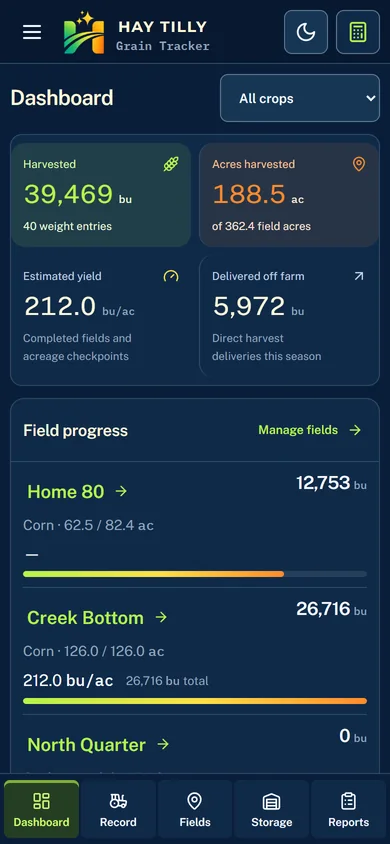
Check how a field is doing without adding up pages of notes. Recorded weights feed your harvested bushels, field progress, and yield calculations, ready to review on the dashboard.
- See harvest progress by field and crop.
- Update harvested acres for a yield estimate while harvest is underway.
- Follow a field total back to the individual weight records.
Keep bin totals up to date.
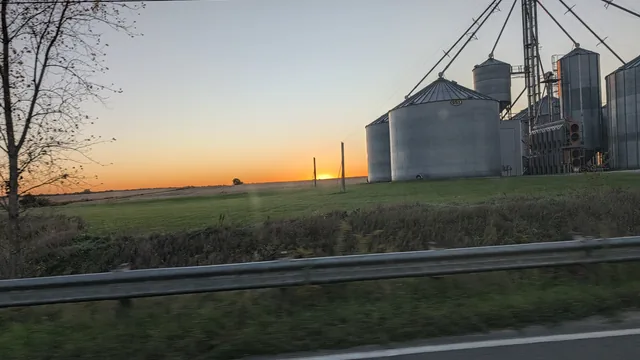
Grain going in and grain coming out should not mean another notebook to reconcile. Opening balances, incoming weights, and recorded loadouts feed your estimated bin inventory, with capacity and remaining space alongside it.
- Start with the grain already in your bins using opening balances.
- Keep outgoing loads and scale ticket photos together.
- Check estimated inventory and remaining capacity before the next load.
Less chasing notes. More useful records.
Keep the details you usually have to look up, total by hand, or enter a second time alongside the harvest records that need them.
- Reports without retyping the season
- Filter and group the weights you already recorded. Download your complete season weight ledger as CSV to review in a spreadsheet instead of entering the same numbers again.
- Keep truck loads straight
- Group weight entries into truck trips. Record measured grain left on the cart so the next weight can account for that carry.
- Find the note when you need it
- Keep moisture readings and notes with the weight they describe. Review corrections later without losing the history behind a changed number.
- One shared harvest record
- Give your farm team access to the same records, assign roles, and choose who can record weights. Keep the details together rather than scattered across separate notes.
- See variety contract coverage
- Track grain varieties where needed and compare stored grain against your recorded variety contract commitments.
- Start with the records you need
- Begin with weights and reports. Enable bin inventory, truck trips, varieties, and other supported tracking as it fits your farm.
A few things you may be wondering.
Can I use Grain Tracker instead of a harvest notebook?
Yes. Enter weights directly from your scale readings and keep each one connected to its field and destination. The recorded weights feed your field totals and, when storage tracking is enabled, estimated grain inventory. You can review and export the records later.
Do I need to track trucks and bins to record a weight?
No. Your farm can start with weights and reports, then enable the additional tracking it needs. When truck tracking is enabled, No truck is available for weights that do not belong to a truck trip.
Can I use it on a phone or tablet?
Yes. Grain Tracker runs in a web browser with layouts for phones, tablets, and desktop computers. You can also add it to your phone's home screen. Wait for the Weight saved confirmation before moving to the next load.
Can I export my harvest records?
Yes. Download a complete season weight ledger as CSV and review it in a spreadsheet. You can keep a copy of your harvest records without retyping them from a notebook.
How do I get access?
Request beta access on the homepage. Hay Tilly reviews completed requests to see whether Grain Tracker is a good fit. You can use the free Harvest Calculator without an account while you explore.
Spend less time piecing your harvest together.
See whether Grain Tracker fits your farm. Request beta access, or try the free calculator first.
Completed beta requests are reviewed by Hay Tilly.