
Set up your farm
Farm setup — manages farm details, tracking features, crop conversions, and farm team access.
Open setup and save
- Sign in as a manager. Open Farm setup from the menu or sidebar.
- Check the farm name and timezone. Choose your tracking options, then Save farm settings.
Start simple or turn features on
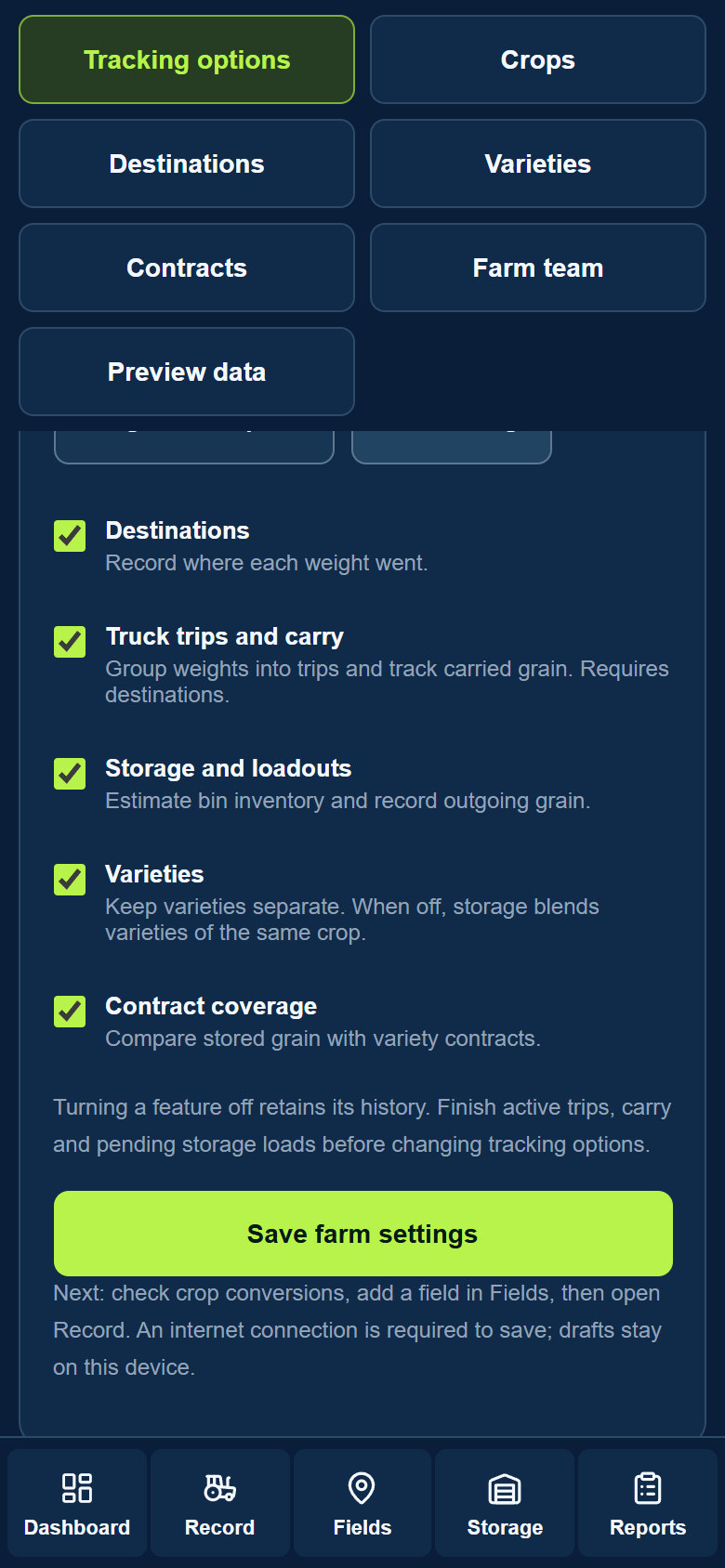
Weights and reports keeps field selection, pounds, and reports. Full tracking turns every feature on. You can also toggle features individually.
- Destinations — records where grain goes, such as a bin or elevator. Operators confirm destination changes.
- Truck trips and carry — groups weights into truck trips and carries measured grain left on the cart into the next load.
- Storage and loadouts — tracks estimated bin inventory and grain leaving storage, including returned scale tickets.
- Varieties — tracks varieties separately. When off, storage blends varieties of the same crop.
- Contract coverage — compares available stored grain with outstanding variety contracts.
Features that work together
- Trucks and Storage turn Destinations on automatically.
- Contracts also require Storage and Varieties. Turning a required feature off turns dependent features off.
- Save your changes. Disabled features hide their controls but retain their history.
Before your farm team starts
- Fields — add each field’s crop and acreage. Check pounds per bushel in Crop conversions.
- Destinations and storage — add the locations and bin capacities you use. Enter existing grain as an Opening balance in Storage.
- Trucks — add names and target weights when tracking trips. Use No truck when a load has no truck assignment.
- Farm team — add or invite family members and hired help, then check each person’s role and Record weights permission.